





7 Reasons to Upgrade from Windows 10 to Windows 11

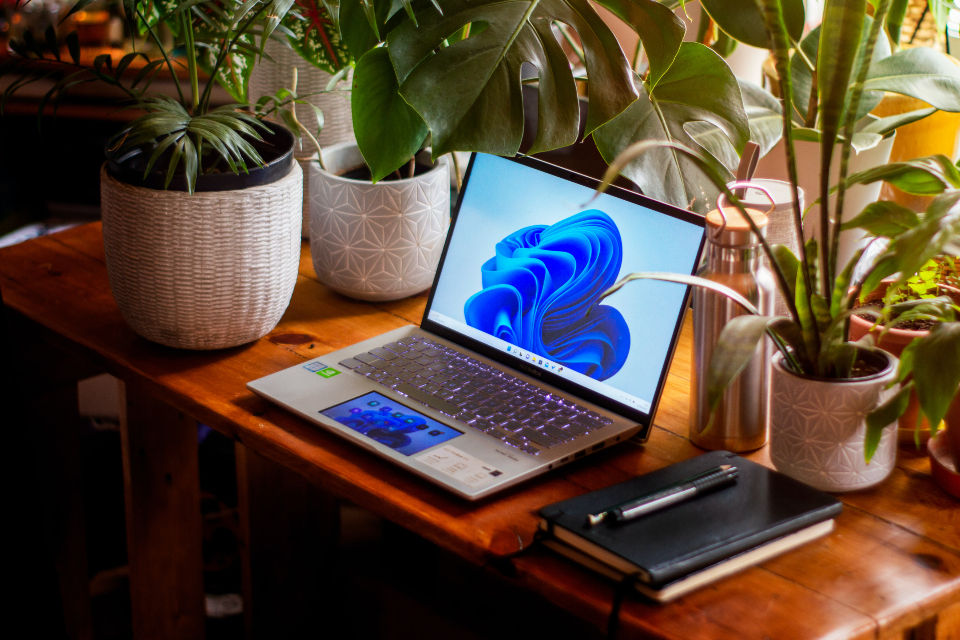
If you’re still using Windows 10 on your computer, you’re certainly not alone. It’s been a dependable operating system for many years and continues to serve lots of users well. However, as software and hardware continue to evolve, staying on an older operating system can gradually result in limitations, particularly when it comes to security, performance and compatibility.
Windows 11 has been designed to address these changes. Rather than being a dramatic overhaul, it builds on what worked in Windows 10 whilst refining the experience and improving what matters most for everyday users. If your computer supports it, upgrading is a practical step forward.
Let's look at seven good reasons why moving from Windows 10 to Windows 11 is worth considering.
Stronger Built-in Security
In my view the single best reason to upgrade to Windows 11 is for the improved security which is provided. With cyber threats becoming more advanced, relying on older security standards can increase your risk. If you choose to remain on Windows 10 your computer will be at increased risk from these threats.
Windows 11 includes enhanced protections such as hardware-based security, Secure Boot, and TPM 2.0 requirements. These features help safeguard your system from low-level attacks that can be difficult to detect or remove.
In addition, tools like Windows Hello and built-in encryption options are more tightly integrated, making it easier to keep your data secure without needing additional software.
For both home users and small businesses, this added layer of protection is a strong reason to upgrade.
If you do continue with Windows 10 for the moment, you should at least enrol in the Windows 10 Extended Security Updates (ESU) programme which expires on 13 October 2026.
A Cleaner, More User-Friendly Interface
One of the most noticeable changes in Windows 11 is the updated interface. Microsoft has simplified the layout to make it more consistent and easier to navigate, without making it unfamiliar. The Start menu is now centred and stripped back to focus on the apps and files you actually use. The taskbar is less cluttered, and menus are more streamlined across the system. These changes may seem minor at first, but over time they make everyday use feel more efficient.
Importantly, the update doesn’t introduce unnecessary complexity. It keeps things straightforward, which is ideal whether you’re using your computer for work, study, or general use.
Better Overall Performance
Performance improvements are one of the key benefits of Windows 11, particularly on newer computers. The system is designed to manage resources more effectively, prioritising the apps you’re actively using.
This results in faster startup times, quicker wake-from-sleep performance, and smoother operation when switching between programs. Even with multiple applications open, Windows 11 tends to remain responsive. For most users, this translates to less waiting and fewer slowdowns during normal tasks like browsing, emailing, or working on documents.
Improved Multi-tasking Tools
If you regularly work with multiple windows open, Windows 11 introduces features that make multi-tasking much easier.
Snap Layouts allow you to quickly organise your screen into predefined sections. Instead of manually dragging and resizing windows, you can select a layout that suits your workflow and position everything in seconds.
Snap Groups take this a step further by remembering your layouts. If you minimise a group of apps, you can restore them exactly as they were. This is particularly useful if you switch between tasks throughout the day.
These features are simple to use but can significantly improve productivity over time.
Better Compatibility with Modern Hardware
As new computers are released, they are designed with current operating systems in mind. Windows 11 is built to take advantage of modern processors, faster storage, and improved graphics capabilities. This means better efficiency, improved battery life on laptops, and more consistent performance overall. Features like optimised SSD handling and updated driver support help ensure your system runs as intended.
If you’ve purchased a computer in the last few years, there’s a good chance you’re not getting the full benefit of your hardware if you're still using Windows 10.
Continued Updates and Long-term Support
Windows 10 is approaching the end of its lifecycle. While it still receives updates, these will become more limited over time, and eventually support will end altogether.
Windows 11 is where Microsoft is focusing its development efforts. This means ongoing improvements, new features, and regular security updates moving forward.
Upgrading sooner rather than later helps to avoid the need for a rushed transition when support deadlines approach. It also ensures your system remains compatible with newer software as it’s released.
Designed for Modern Use
The way people use computers has changed, and Windows 11 reflects that shift. Whether you’re working remotely, collaborating online, or managing multiple devices, the system is designed to support flexible workflows.
Virtual desktops are easier to manage, allowing you to separate work, personal, or study environments. Notifications are more organised, and system settings are easier to find and adjust.
There’s also improved integration with cloud services, making it simpler to access files and work across different devices.
These changes are not about adding unnecessary features—they’re about making the system more practical for how people actually use their computers today.
Things to Consider Before Upgrading
While there are clear benefits, it’s still important to check whether upgrading is the right move for your situation.
First, confirm that your computer meets the system requirements for Windows 11. Not all older machines are compatible, particularly those without the necessary security hardware. Second, ensure your important files are backed up before starting the upgrade process. Although upgrades generally go smoothly, having a backup in place is always a sensible precaution. Finally, check that any essential software you rely on is compatible with Windows 11. Most modern applications work without issue, but it’s worth verifying this if you use any specialised software.
Final Thoughts
Windows 10 has been a reliable and widely used operating system, but it’s gradually being replaced by a more capable and secure alternative. Windows 11 offers practical improvements across the board, from enhanced security and better performance to a cleaner interface and more efficient multi-tasking. These are not just cosmetic changes; they directly impact how smoothly and safely your computer runs.
For most users with compatible hardware, upgrading is a straightforward way to keep your system current and performing at its best.
If you’re unsure whether your computer is ready, or you’d prefer assistance with the upgrade process, don't hesitate to give me a shout and I can help to ensure everything is set up properly and running as it should.
Even if your computer reports that it's not compatible with Windows 11, it's highly likely that I would be able to upgrade it for you. If you're in Brisbane, Logan or the Redlands, I'm available and ready to come to you to get you started with Windows 11. Get in touch today!


